Upgrade & Secure Your Future with DevOps, SRE, DevSecOps, MLOps!
We spend hours scrolling social media and waste money on things we forget, but won’t spend 30 minutes a day earning certifications that can change our lives.
Master in DevOps, SRE, DevSecOps & MLOps by DevOps School!
Learn from Guru Rajesh Kumar and double your salary in just one year.
CSS properties, we can style the buttons. Buttons help us to create user interaction and event processing. They are one of the widely used elements of web pages.During the form submission, to view or to get some information, we generally use buttons.
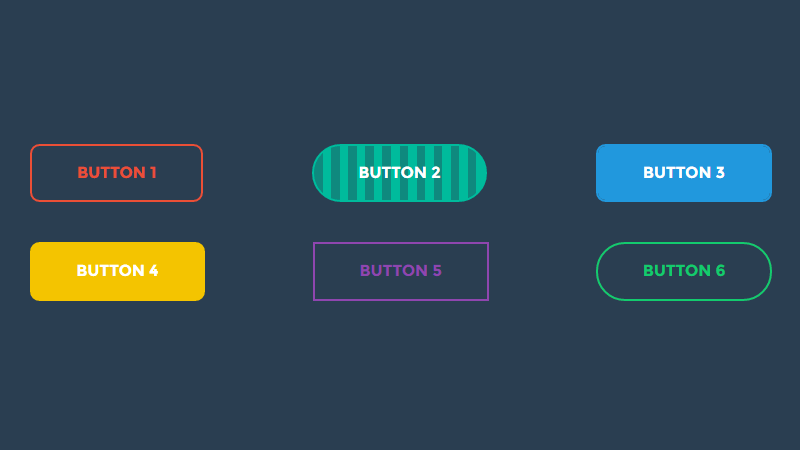
There are multiple properties available that are used to style the button element. Let’s discuss them one by one.
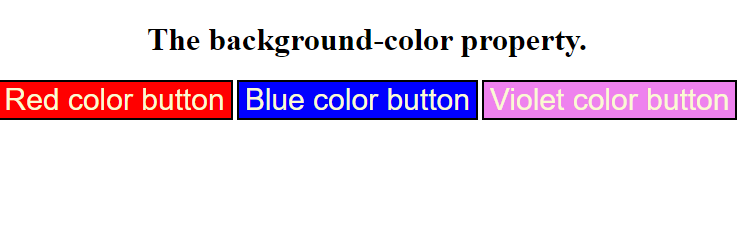
- Background-color= this property is used for setting the background color of the button element.
Syntax
element {
    // background-color style
} - border= It is used to set the border of the button. It is the shorthand property for border-width, border-color, and border-style.
Syntax
element {
    // border style
} - border-radius= It is used to make the rounded corners of the button. It sets the border radius of the button.
syntax
element {
    // border-radius property
} - padding =It is used to set the button padding.
syntax
- element {
- // padding style
- }
example
<!DOCTYPE html>
<html>

<head>
    <title>
        button background Color
    </title>

    <style>
    body{
       text-align: center;
    }
        button {
           color:lightgoldenrodyellow;
            font-size: 30px;
        }
        .b1 {
            background-color: red;
        }
        .b2 {
            background-color: blue;
        }
        .b3 {
            background-color: violet;
        }
    </style>
</head>

<body>
   <h1>The background-color property.</h1>
    <button class="b1">Red color button</button>
    <button class="b2">Blue color button</button>
    <button class="b3">Violet color button</button>
</body>
</html>
output